The 2026 UTME examination runs from Thursday, 16 April to Saturday, 25 April 2026. Once you finish your examination, the next question on your mind will be: "How do I check my result?" This is exactly how to check your JAMB result, what to do when problems occur, and how to interpret what you see.
When Will Your Result Be Released?
JAMB typically releases UTME results within 48 hours after you write your examination. Since the 2026 UTME runs for 10 days, results come out in batches. If you write on Thursday, 16 April, expect your result by Saturday, 18 April. If you write on Saturday, 25 April, expect your result by Monday, 27 April.
Don't panic if your result isn't available immediately. JAMB releases results gradually as they complete verification and quality checks for each examination session. Your result will appear when it's ready. Read the full announcement: JAMB Releases 1.8 Million UTME 2026 Results After Exam Concludes
Two Ways to Check Your JAMB Result
SMS Method (Fastest, No Internet Required)
This is the quickest way to see your score if you just want the number without printing anything.
Open your phone's messaging app and type: UTMERESULT
Type it exactly like that - all capitals, no spaces between the words.
Send this message to 55019
You must send from the same phone number you used to generate your profile code. If you send from a different number, the system won't recognise you and won't send your result.
₦50 will be deducted from your airtime. Make sure you have at least ₦100 before sending.
Within 2-5 minutes, you'll receive an SMS showing your scores in all four subjects and your total score. Save this message or screenshot it immediately.
Online Method (For Printing Your Result)
JAMB has confirmed that the portal for printing the 2026 UTME original result slips is not yet open. The Board is currently finalising foreign examinations and organising a mop up exam for candidates who missed the main exam. Read the full announcement: JAMB Schedules UTME Mop Up Exam for June 13
Candidates are advised to stay patient and await further announcements, as the portal will be activated once all pending adjustments are completed. Read the full announcement: JAMB Delays Activation of 2026 UTME Result Slip Printing
Due to the latest announcement: Some 2026 UTME Results Cancelled As JAMB Releases 279 Others. Candidates who were unable to print their results online can now do so with the steps below:
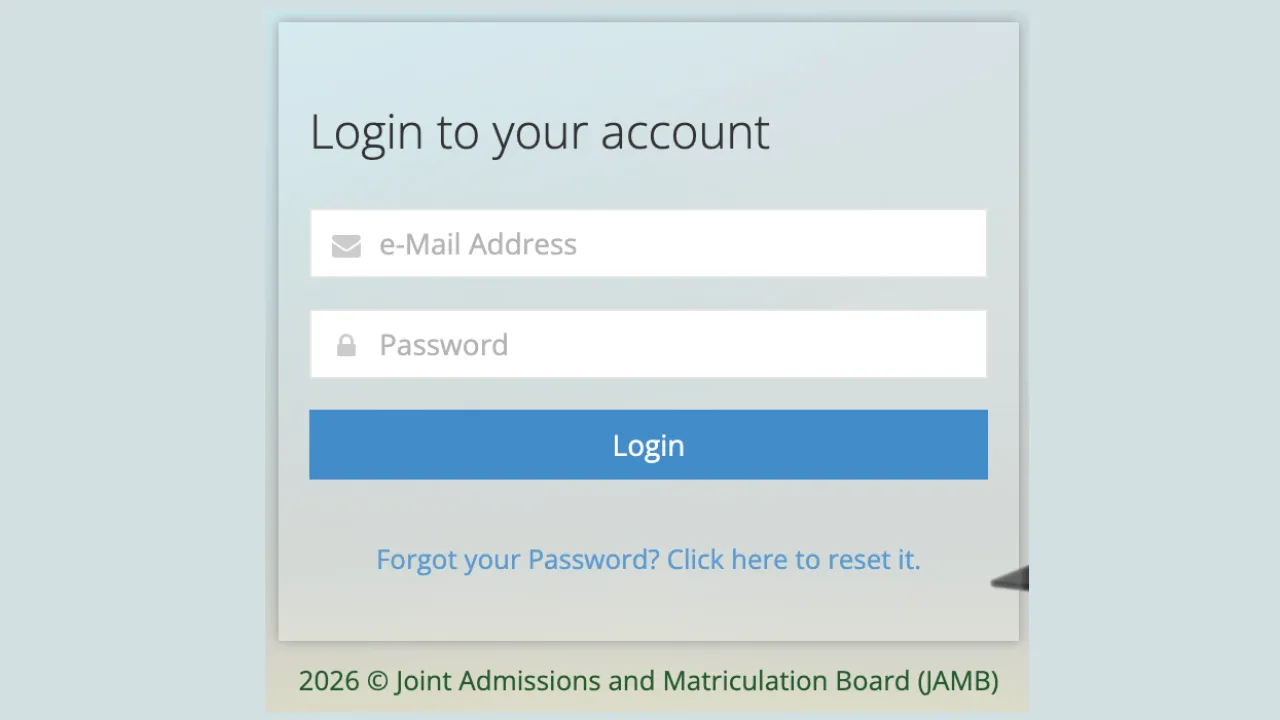
Open any browser on your phone or computer and visit: https://slipsprinting.jamb.gov.ng/CheckUTMEResults
You'll see a login page asking for your details. Enter your JAMB registration number (the number that starts with your examination year, like 10123456HG).
If you don't remember your registration number, enter the email address you used during registration instead.
Click "Check Result" or "Login" depending on which portal you're using.
Your result appears on screen showing:
- Your full name
- Your registration number
- Each subject and the score you got
- Your total score out of 400
- Your examination centre
To print your result, click the "Print Result" button. Printing costs ₦500, which you'll pay using your debit card or other online payment methods available on the portal.
Don't panic if you don't see your result, this is what it means:
"Result Not Yet Available"
This message appears when JAMB hasn't finished processing your particular examination session. Your result is coming - just not ready yet. Check back every 6 hours. Most "not yet available" results appear within 24-72 hours.
"Candidate Absent"
This appears when JAMB's system shows you didn't attend the examination. But you know you wrote the exam - so what happened? Usually, this means the biometric verification didn't work properly during your examination. Your fingerprints might not have captured correctly, or there was a system error at your centre.
Visit the nearest JAMB office with your examination slip and explain the situation. They'll investigate and resolve it. Don't just sit at home hoping it will fix itself.
"Result Withheld Pending Upload of Documents"
JAMB has flagged your account and needs you to submit additional documents for verification. Log into your JAMB profile on the efacility portal to see exactly what documents they're requesting. Usually, it's O'Level results, birth certificate, or other verification documents.
Upload the requested documents immediately. Your result stays withheld until you comply. The longer you wait, the longer your admission process is delayed.
"Invalid Login Details"
You've entered the wrong registration number or email address. Double check what you're typing. Your registration number follows a specific format: two digits for the year, then six or seven digits, then two letters (example: 26123456HG).
If you genuinely can't remember your registration number or email, visit any JAMB office with your examination slip or profile code to retrieve it.
When You're Unhappy with Your Score
Can you request a remark or recheck?
JAMB doesn't offer result rechecks or remarks. Computer-based examinations are automatically marked by the system, leaving no room for human marking errors. The score you see is final.
If you believe something went wrong during your examination - perhaps the system froze, questions didn't display properly, or time ran out unexpectedly - you can submit a complaint to JAMB. Visit any JAMB office with your examination slip and full details of what happened. They'll investigate system logs for your examination session.
However, if you simply didn't know the answers and scored low, there's no appeal process. You'll need to register and write JAMB again next year.
What Score do you Need for Admission?
The general JAMB cut-off mark is 140 for universities and 100 for polytechnics and colleges of education. But don't celebrate just because you scored above 140. Individual universities and courses set their own cut-off marks, which are usually much higher.
Medicine typically requires 260-300+, Law needs 250-280+, Engineering wants 220-260+, whilst courses like Economics or Mass Communication need 200-240+. Check your chosen university's departmental cut-off mark to know if your score qualifies you.
Scoring below your university's cut-off doesn't automatically disqualify you, but it makes admission very difficult. You'll compete with candidates who scored higher, and unless the university doesn't fill its quota, lower scores rarely get admitted.







47 Comments